Business customers have their own accounts team and so they want their financial notifications sent to them of course. With a customer-metafield you can enrich your customers with an additional email address which Kindly can consider for addressing the payment reminders.
This is how it works
- We create a customer metafield "accounts-email-contact" in your shop
- You feed those customers that have one with the accounts email address
- We tell Kindly to use this instead of the default email if one is available
Steps
Create a customer metafield
- Go to your settings > metafields and metaobjects > customers
- Click Add definition
- Enter the name of the metafield e.g. Accounts email contact and select the type Email (Single line text)
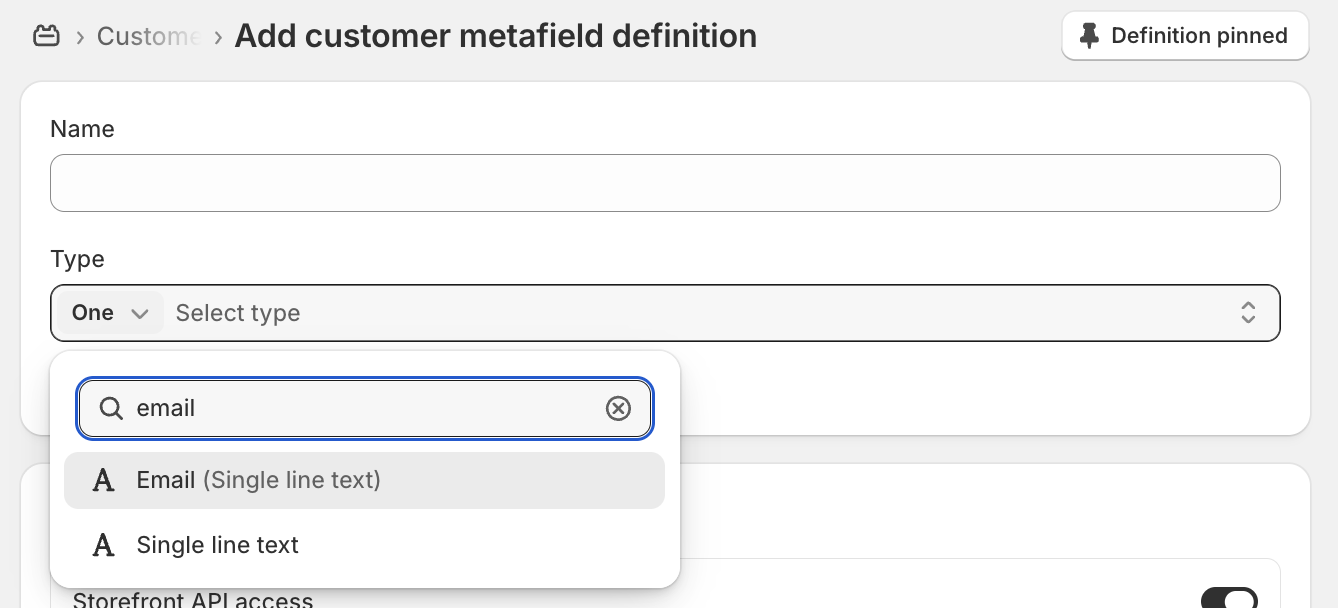
- With Customer Account API access choose Read and write.
- Save it.
Feed the metafield with account emails
- In Shopify go to a customer you'd like to add an accounts email
- Below the last order placed you should see our metafield. Enter the accounts email and click save.
Let Kindly consider emails from metafields
- In Kindly go to settings > email notifications > scroll to use alternative email address.
- Enable this option and select the metafield we've just created.
